Plan, code, run, iterate — Cline's loop is tight, but everything it produces dies with the workspace. One endpoint makes every task's output a record the next task can read.
Cline's strength is the full loop inside VS Code: it reads the codebase, writes the changes, runs the commands, fixes what breaks. But the loop is amnesiac across tasks. Yesterday's crawl results, last week's refactoring notes, the test-run summaries it generated — they live in chat transcripts and scratch files, invisible to the next task and to anyone else on the project. "What did we already try?" has no answer, so Cline tries it again.
A shared storage endpoint gives the loop a memory. Each task POSTs its outcome to one FormLM URL — logs, results, notes, whatever the task produced — and later tasks read it back through the query API as structured JSON. The endpoint has no SDK and no schema ceremony: Cline appends ?help to the URL, reads the Markdown docs, and writes correct calls from the first attempt.
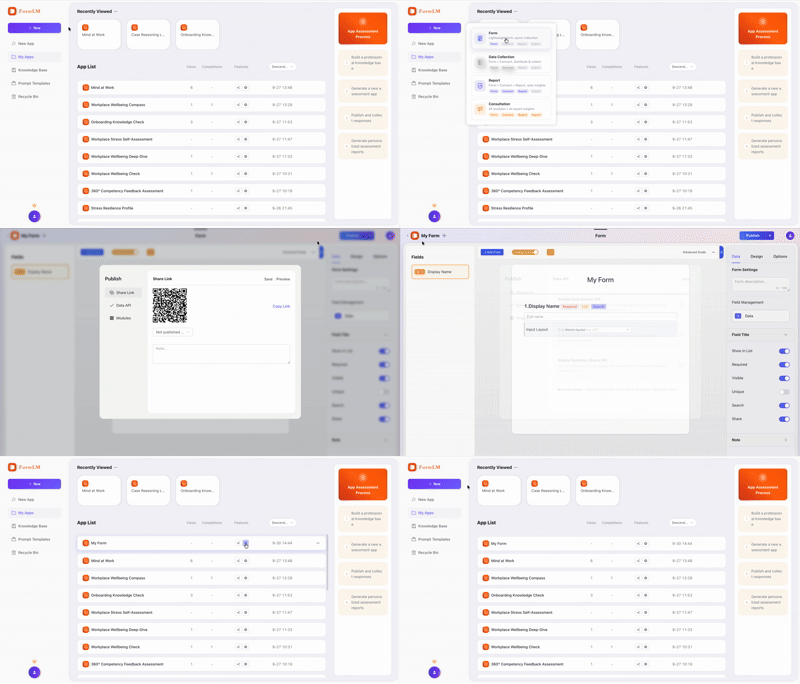
Paste the endpoint into the task. With ?help appended it returns a Markdown document — fields, methods, examples. Cline reads it and wires storage into whatever it's building:
"Add result logging to this script. After each run,
 submit the outcome to:
 https://formlm.me/api/v3/share/YOUR_TOKEN?help
 Read the docs first, then wire the POST in."

# Cline reads the schema and writes the integration
# correctly — no format spec from you.
Add formlm-cli as an MCP server and Cline gains tools to create forms, define fields, publish endpoints, and query results — all inside the VS Code chat. Install the CLI first (npm install -g @formlm/cli), then configure it in Cline's MCP settings — either through the panel in the sidebar or by editing the JSON file directly:
{
  "mcpServers": {
    "formlm": {
      "command": "formlm-cli",
      "args": ["mcp"],
      "env": {
        "PATH": "/opt/homebrew/bin:/usr/local/bin:/usr/bin:/bin"
      }
    }
  }
}
On macOS the env.PATH entry avoids the common command not found — VS Code extensions don't inherit your terminal's PATH. Run formlm-cli auth login --token <your-token> once in the integrated terminal (Access Token from formlm.me → Account Settings; verification-code and Google accounts have no password) and the token persists for every later session. The complete CLI reference lives in the developer zone.
$ curl -X POST https://formlm.me/api/v3/share/YOUR_TOKEN \
  -H "Content-Type: application/json" \
  -d '{
    "data": {
      "suite": "checkout-flow",
      "passed": 47,
      "failed": 2,
      "flaky": ["cart-update"],
      "duration_s": 63
    },
    "meta": {"source": "cline-task"}
  }'

# Read — tomorrow's task starts from today's results
$ curl https://formlm.me/api/v3/share/YOUR_TOKEN/query?page=1&size=50
Pages Cline builds can use the same endpoint from the browser — CORS covers reads and writes — and scripts run from the integrated terminal need no CORS at all. Records stay visible in FormLM's UI with CSV export, so the project's memory belongs to the project, not to a chat transcript.
Open Cline's MCP settings panel from the VS Code sidebar (MCP Servers icon) and add a new server, or edit cline_mcp_settings.json directly — it uses the standard JSON mcpServers format. Save, then check that the formlm server shows as active in the panel.
Yes. Paste your endpoint URL with ?help appended into the Cline chat. The endpoint returns a Markdown document with the field list, request format, and examples — Cline reads it and wires the POST calls into whatever it's building, no config required.
No. The endpoint sends CORS headers for both reads and writes, so pages running on localhost, the VS Code Simple Browser, or any static host POST directly. Scripts and CLI tools aren't subject to CORS at all — that's a browser-only rule.
Yes. Point Cline at the query endpoint and ask it to fetch the history — records come back as paginated JSON it can read, summarize, or render. The summary endpoint gives aggregates without pulling raw rows.
Free endpoint, self-documenting, readable by the next task.
Create your free endpoint →