A free Data API for static sites, local HTML pages, and AI-generated apps. One endpoint accepts JSON or a plain HTML form POST — every submission is stored, queryable, and ready for AI analysis.
Pages on GitHub Pages, Netlify, Neocities, or any static host render beautifully — and forget everything the moment a visitor submits a form.
Claude, ChatGPT, and coding agents generate a working UI in minutes — running in a sandbox or on your disk, with no server and no database to POST to.
All you need is "save this record somewhere." Standing up a server, a database, auth, and deployment to collect 200 rows is the tail wagging the dog.
This is exactly what a form backend (sometimes called a form endpoint) is for: your page stays a static file, and the storage lives behind one URL. FormLM's Data API is a form backend with three extra bets — it speaks JSON natively, it documents itself for AI agents, and the data you store can later flow into scoring and AI-generated reports instead of dying in an inbox.
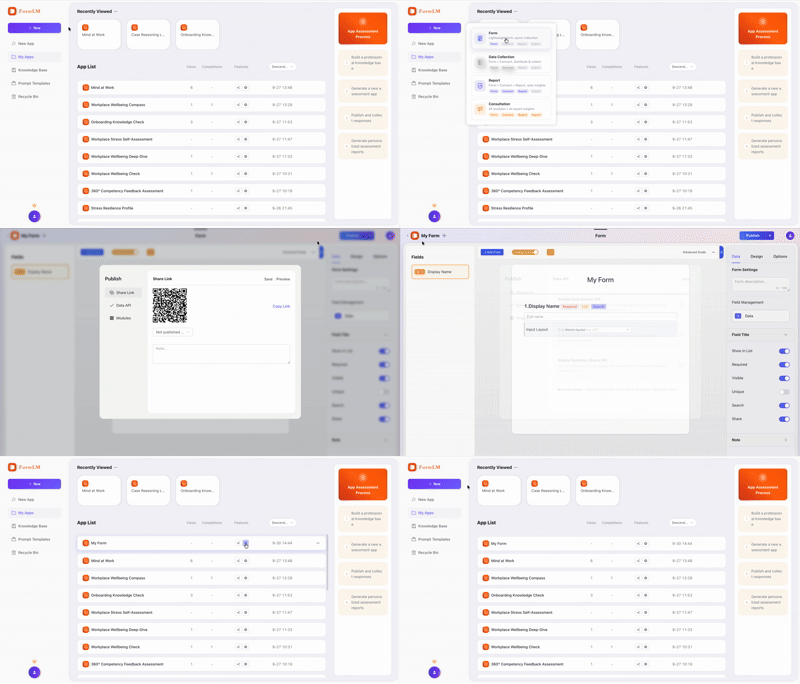
Describe what you want to collect — or let AI generate the form from one sentence. Enable the Data API on the Publish tab.
One URL like https://formlm.me/api/v3/share/<token>. It accepts JSON, fetch calls, and native HTML form POSTs.
Every submission is stored as a structured record. View in FormLM, export CSV, or query it back over the query and summary APIs.
<!-- Native HTML form: action points at your endpoint. Zero JavaScript. -->
<form action="https://formlm.me/api/v3/share/YOUR_TOKEN/form" method="POST">
  <input name="name" placeholder="Your name" required>
  <input name="email" type="email" placeholder="you@example.com" required>
  <textarea name="message" placeholder="What do you need?"></textarea>
  <button type="submit">Send</button>
</form>

<!-- Works from any static host, or even a file:// page on your own machine. -->
// JSON POST from any page, script, or automation
await fetch("https://formlm.me/api/v3/share/YOUR_TOKEN", {
  method: "POST",
  headers: { "Content-Type": "application/json" },
  body: JSON.stringify({
    data: {
      mood: "focused",
      hoursSlept: 7,
      notes: "Shipped the landing page today"
    },
    meta: { source: "my-local-page" }
  })
});

// CORS is enabled — works from localhost, file://, and any static host.
# Give the endpoint to an AI agent. It reads the docs itself:
"Please log my daily habits to this API:
 https://formlm.me/api/v3/share/YOUR_TOKEN?help
 Read the documentation first, then submit today's data."

# The ?help URL returns a plain Markdown document:
# field list, request format, and copy-paste examples.
# The agent reads it, then POSTs valid data on its own.
Try it live: the ?help documentation is public on every endpoint — open this live example to see the Markdown schema an AI agent receives.
Every endpoint serves its own Markdown API doc at ?help. Paste one URL into Claude, ChatGPT, or any agent and it knows the fields, formats, and examples — no glue code, no hand-written integration prompts.
No schema ceremony. Enable auto-create and the first submission defines the columns — new keys in later submissions are added automatically, up to 50 fields. Perfect for AI pages that evolve.
Submit from any origin: localhost, file://, static hosts, sandboxes. Plain HTML forms work with zero JavaScript via the standard action attribute.
Stored records are readable over HTTP: a paginated query endpoint and a statistics summary endpoint. Build dashboards, feed automation, or let an agent analyze what it collected.
A public demo endpoint means you can send a real request and see a real stored record before you even sign up — evaluate with curl or a browser, not marketing copy.
The same data can flow into FormLM's assessment engine: weighted scoring, dimension bands, and personalized PDF reports. Start as a form backend, grow into an assessment service.
Your portfolio, documentation site, or landing page lives on GitHub Pages or Netlify. Add a real, working contact form by pointing action at your endpoint — see the static site forms guide.
You asked Claude or an agent to build a tracker, quiz, or calculator. It runs perfectly — locally. Hand it a Data API endpoint and it persists data from day one. See Data API for AI agents.
A personal dashboard or habit log that lives on your own disk. It can still store data on the web: file:// pages can POST to the API thanks to CORS. See the local page guide.
| Call | Method | What it does |
|---|---|---|
/{token} | POST JSON | Store a record. Accepts {"data": {...}, "meta": {...}} or flat fields. |
/{token}/form | POST form | Store a record from a native HTML form (urlencoded). No JavaScript needed. |
/{token}?help | GET | Markdown API docs — field list, formats, examples. Made for humans and AI agents. |
/{token}/query | GET | Read stored records back, paginated. Also supports ?help. |
/{token}/summary | GET | Aggregate statistics over stored records. Also supports ?help. |
Enable or disable each capability per form from the Publish tab in FormLM.
No. FormLM's Data API is a hosted form backend. Point your HTML form action or fetch call at your FormLM endpoint and submissions are stored on our side. Your page stays static — plain HTML on any static host, or even a local file on your own machine.
Yes. Creating forms, enabling the Data API, submitting data via POST, and viewing stored submissions are included in FormLM's free plan. Paid plans add higher volume and AI-powered scoring and reporting.
Yes. Every endpoint supports a ?help parameter that returns a plain Markdown document describing the fields, methods, and examples. Paste the endpoint URL with ?help into any AI agent, and it can read the schema and start submitting valid data without you writing glue code.
Yes. The API is CORS-enabled, so a page opened directly from disk, a Claude or ChatGPT artifact, or an AI-generated site on any static host can POST data directly. No same-origin restriction.
Yes. Besides the submission inbox and CSV export inside FormLM, query and summary endpoints let you page through stored records and read aggregate statistics over HTTP — useful for dashboards, automation, or feeding data back to an AI agent.
No. With auto-create fields enabled, the first submission defines the columns: unknown keys in your payload are added to the form automatically, so an evolving AI-generated page can store new fields without redeploying anything.
Those services focus on email-forwarding form submissions. FormLM's Data API stores structured records you can query back, generates a Markdown schema AI agents can read at ?help, auto-creates fields from raw submissions, and — when you want more than storage — the same data can flow into scoring, assessment reports, and AI analysis. A detailed comparison lives in FormLM comparisons.
Two. POST JSON to your endpoint for structured data, or use a native HTML form with a regular action attribute — the endpoint accepts application/x-www-form-urlencoded too, so even a no-JavaScript page works.
We eat our own dog food. The feedback form on this site's contact page is a plain static form that POSTs straight to a FormLM Data API endpoint — no server on our side either. Go send it a message and watch the pattern work.
Free to start. No server, no schema ceremony, no JavaScript required for plain forms.
Create your free endpoint →